Background
AI has significantly transformed the industry. Below are my experiments in learning and building products with AI:
- React/CSS design system
- Color picker
Project 1: React/CSS Design System

React is one of the most popular frameworks, but I had no prior experience with it. Therefore, I decided to study it on my own, with the help of AI tools.
Purpose
To better contribute to modern UI implementation, I aimed to build a React/CSS design system using design tokens that are connected to Figma design files.
The primary goal was to study React/CSS coding and improve collaboration with engineering teams.
Process
With just a few prompts, the AI tool generated a mini React/CSS design system with Button and Card components:
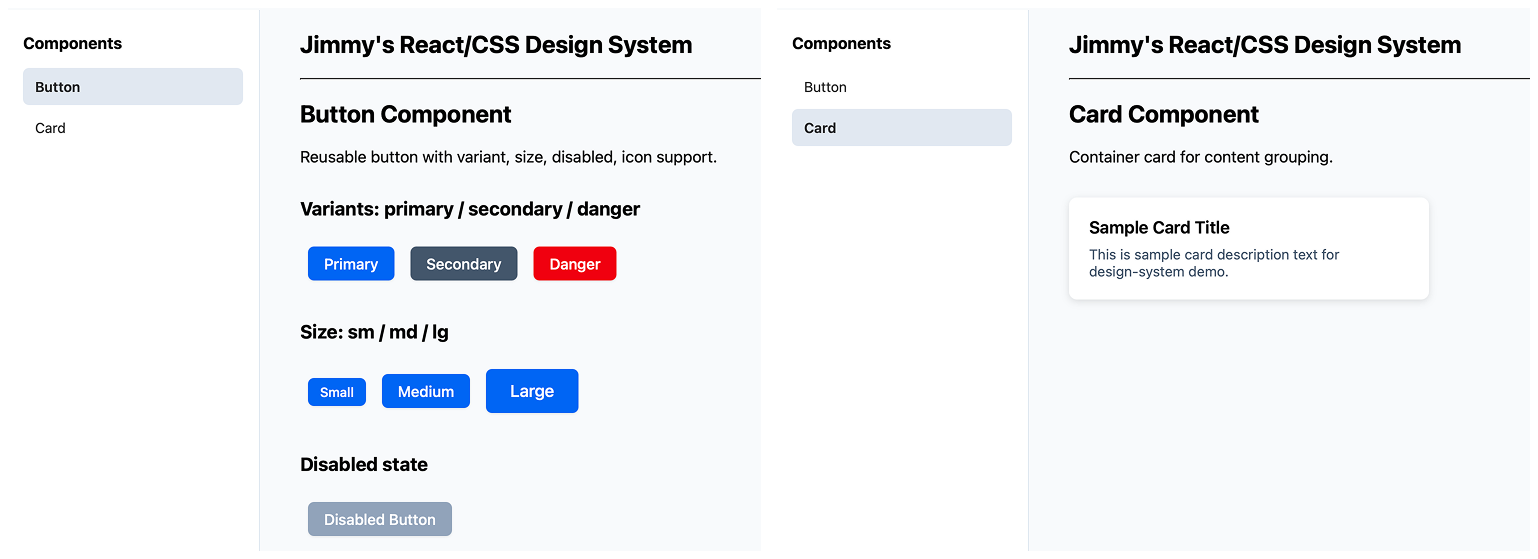
The visual style was secondary at this stage. My focus was on analyzing the differences between traditional HTML/CSS/JS components and JSX/CSS. For this reason, I skipped Vite and npm for now, and instead used Babel to compile JSX in the browser.
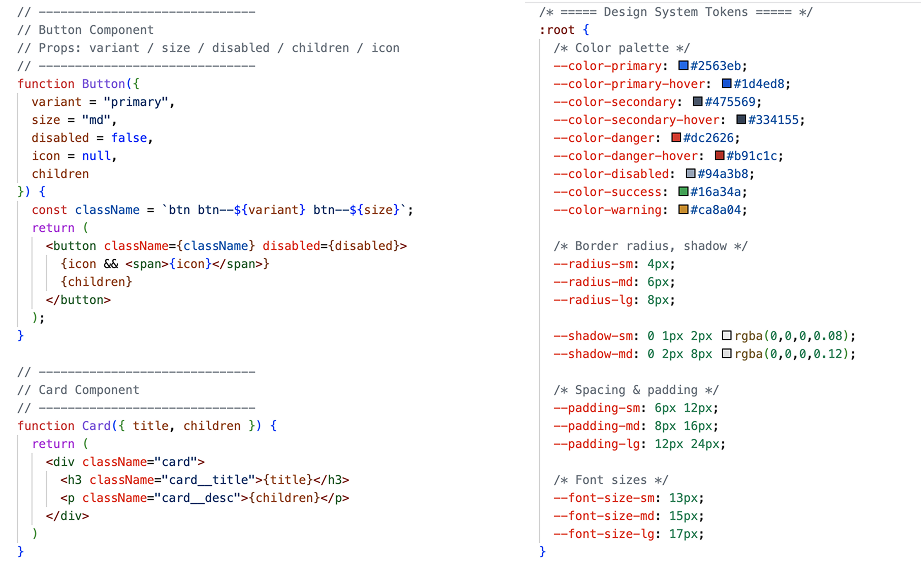
JSX and CSS design tokens
I learned JSX syntax through this AI-generated code.
However, when I tried to extend the UI components beyond just buttons and cards, the AI-generated code didn't seem right: it hardcoded the colors within the components rather than using tokens. I was unsure about this, and confirmed my concerns by trying different AI products. Eventually, the AI agent acknowledged the issue and corrected the code:
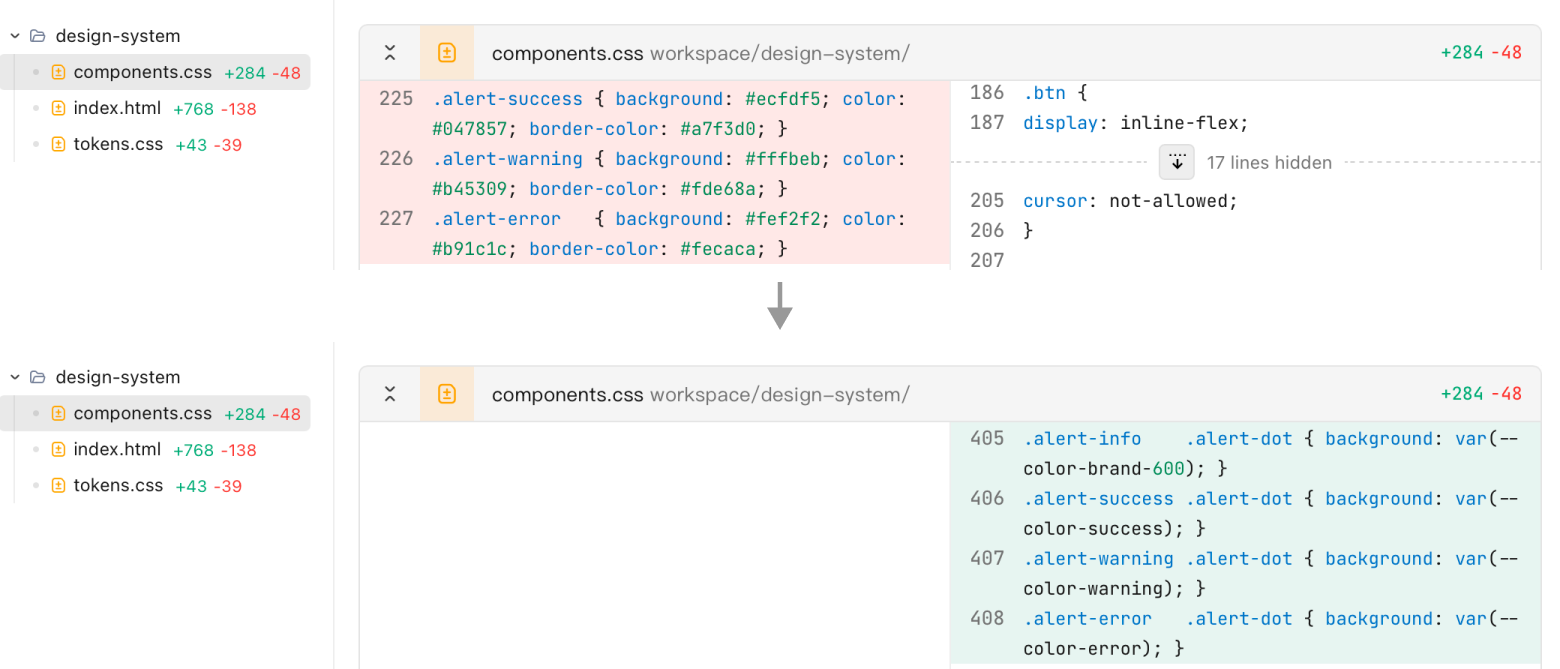
AI replaced the hardcoded color with design tokens
In addition, I implemented the light mode and dark mode toggles:
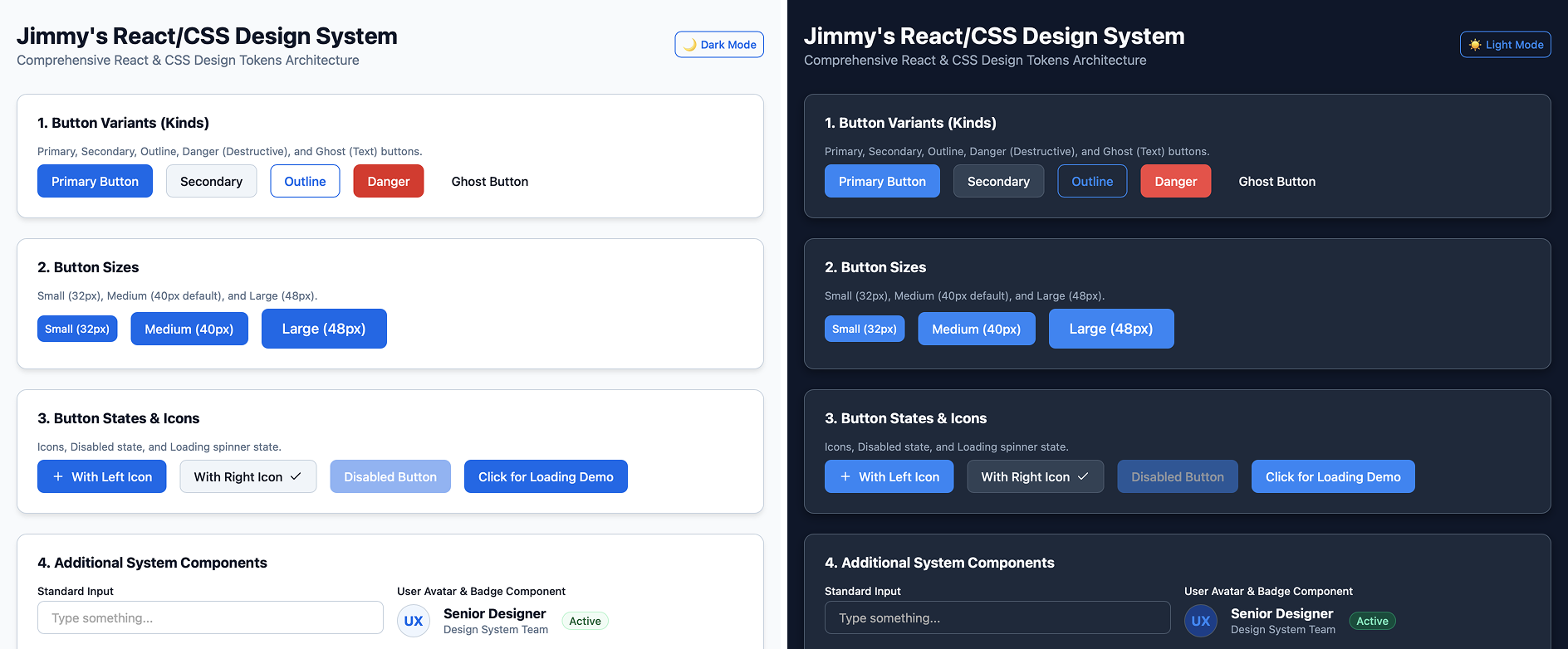
After comparing code generated by different AI agents, I summarized the structure of the base design tokens:
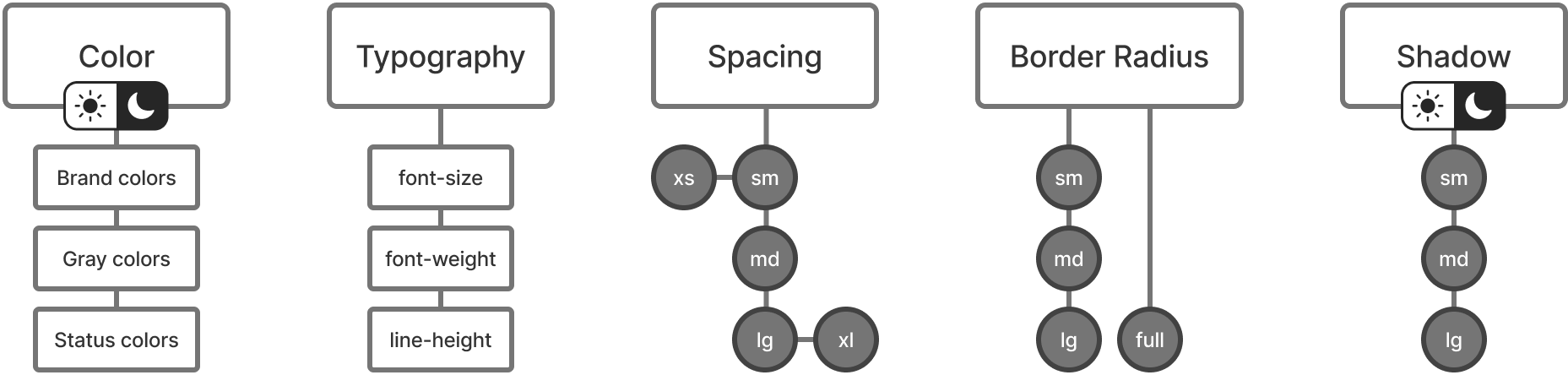
All UI components are built upon these base design tokens. For example, the Button component consists of color, typography, and spacing (for padding), and applies different color combinations in the background and border for its variants.
The study is still ongoing, and I will update in the coming weeks.
Project 2: Color Picker
This was my first AI-coding project.
Purpose
In most design applications, color code is displayed in one of the following formats:
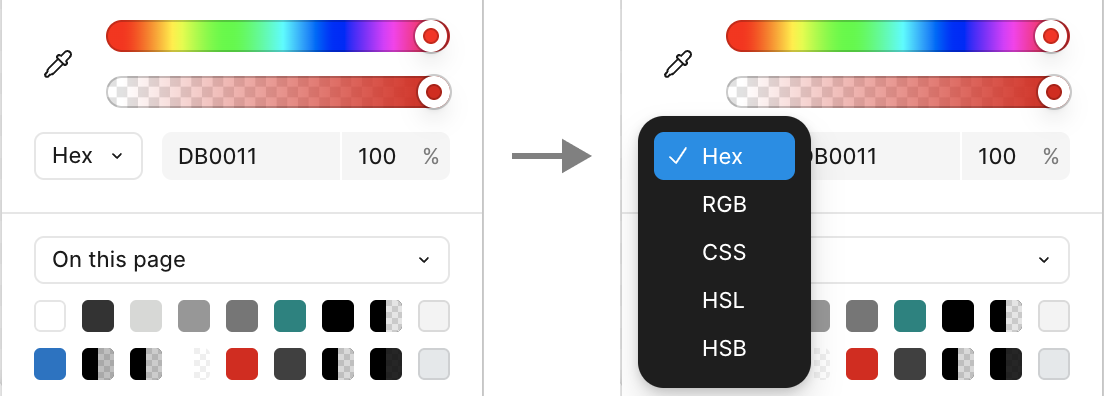
Select color code format
To better analyze the connections across these color codes, I need to view all the formats simultaneously. Therefore, I decided to vibe-code a handy tool with the following requirements:
- Display Hex, RGB, HSL and HSB in one screen for any given color code
- Lightweight, with instant response on open and calculation
- Work without a network connection
Process
This functionality is straightforward for AI coding tools nowadays. I managed to build a single web app that displays color values in four different formats and runs locally.
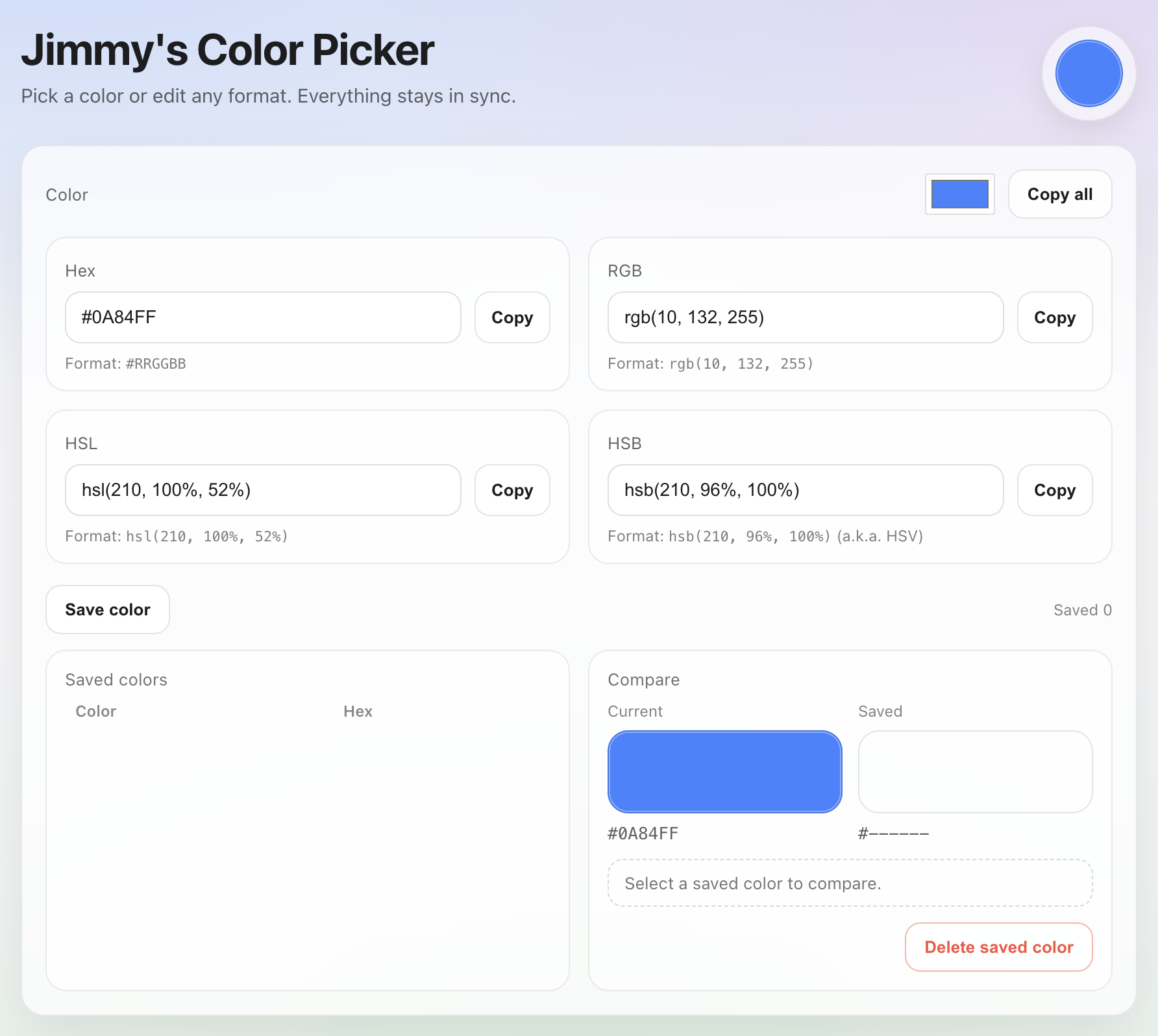
Display color code in 4 formats
I also added a 'Save color' feature, so I can easily compare new colors with previously saved ones.
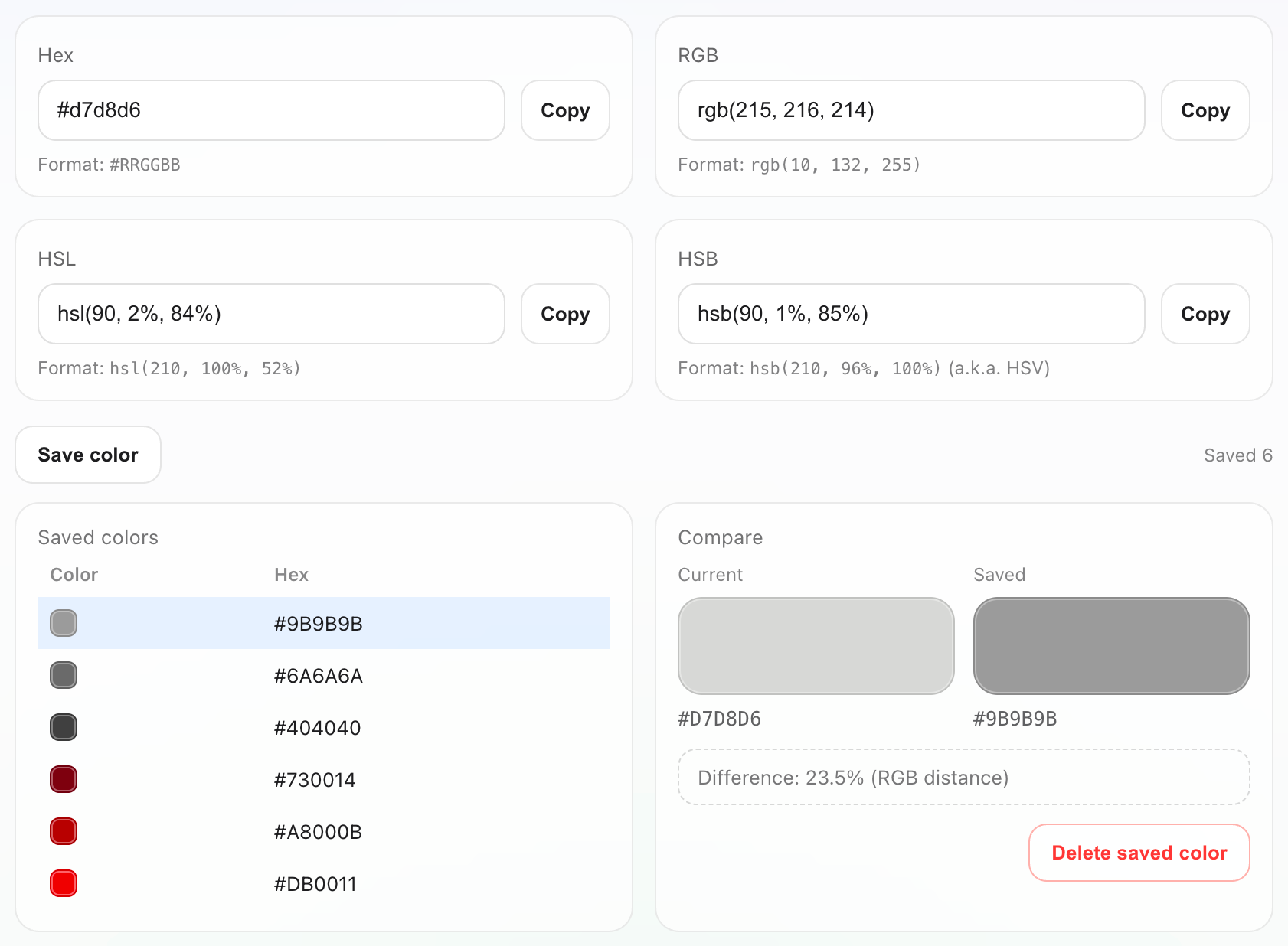
This experiment is ongoing, and I plan to add more features in the future.
Retrospective
Some thoughts from these AI experiments:
- Even tools from top companies like Google occasionally generate code that contains errors. A solid technical foundation is still essential when reviewing this code.
- Using prompts may not be an efficient way to interact with AI tools. I believe other interaction methods can be more effective in some complex circumstances.
Copyright © 2026 [suizai] Jimmy J.z. All rights reserved.
Website registered in CN Guangdong. ICP-16083064